Independent application development · Source snapshot: 6 October 2026
Frame — AI Video Generation & Editing
Generating a clip is only one step: prompts, versions, review decisions and subsequent edits need to stay connected.
A local workspace for generating video from a description, comparing versions and editing existing footage with AI-assisted planning.
What this project demonstrates
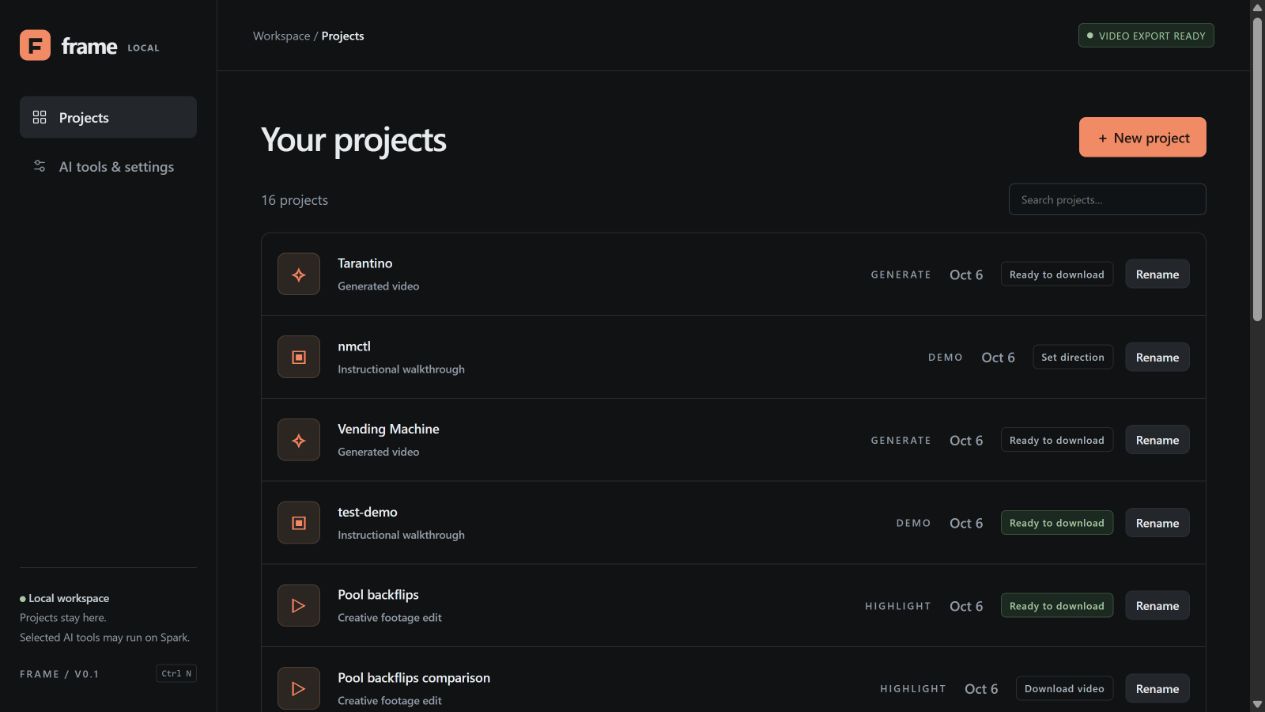
Frame keeps generated versions and their prompts together, while separating fresh generation from edits to existing footage.
- Description or source footage
- Generate or plan an edit
- Review and revise
- Keep versions and decisions
- Export video
Laundromat
A stylised character waits beside a washing machine, retrieves laundry and arranges coloured clothing on a table. The scene uses a stop-motion visual style.
Open Laundromat videoTarantino
Two suited characters lean over an open car boot, seen from a low viewpoint inside it. Their gestures and reactions play out within the same setting. Tarantino is the supplied project title.
Open Tarantino videoVending Machine
A black-and-white night scene centres on a person beside an illuminated vending machine. Later frames show a cat crossing the pavement.
Open Vending Machine videoScope and contribution
Raoul is building the Frame application, its project workflow, model integrations and rendering pipeline. LTX-2.5 supplies video generation; configured Qwen models support prompt development and visual planning. FFmpeg executes footage edits and exports. These underlying models and tools are third-party components, not models trained for this project.
Three ways to make a video
Generate starts with a written description and an optional reference image. The app can develop the prompt, generate a candidate and retain earlier versions for comparison. Highlight and Demo start with uploaded footage: Highlight selects moments for a creative edit; Demo aims to preserve a followable instructional sequence.
For existing footage, the workflow moves through analysis, direction and an edit plan before export. A low-resolution preview is optional. The plan can specify source ranges, ordering, speed, titles and sound; FFmpeg applies those instructions.
Revisions you can inspect
Saved LTX generations retain their exact prepared prompts. Version history lets the user revisit candidates, keep a preferred version and reject later versions without deleting the files. Optional creative notes can be accepted or rejected before a revised prompt is prepared.
Changing the scene regenerates the footage. It does not preserve every face, prop or pixel from the previous version. Changing cuts, timing or titles instead uses the existing-footage editor. That separation helps the user choose the right operation for the requested change.
Local workspace, configured compute
The Windows application uses a Python/FastAPI backend and a browser interface, with local project files and exports. The configured setup uses DGX Spark for video generation and selected AI services. A local workspace therefore does not mean that every model runs on the laptop.
The inspected LTX generation profile supports short clips up to five seconds at 768 × 512, and a single longer clip up to 45 seconds at 512 × 320 on Spark. The examples above are the supplied MP4 exports; their resolution and duration were checked directly.
An experimental Wan2.2 option provides temporary generation separately from saved LTX versions. Its results must be downloaded to keep them; they do not enter project history automatically.
Review and current limits
AI observations and creative suggestions still require judgement. Sampled frames can miss brief events, speech timing can be wrong, and generation may omit a requested action. A completed render does not establish narrative quality, exact prompt adherence or reliable lip sync.
The footage-editing workflow tracks approvals and invalidates downstream approvals when earlier inputs change. This helps prevent an old export being mistaken for a newly approved edit. Frame remains a single-user local application in development, with no built-in public hosting or publishing service.
Practical implications
Frame brings generation and footage editing into one inspectable project workflow. It explores how a creator can iterate while retaining earlier work and the wording used to produce it.
A production workflow would need representative quality checks, reliable speech and motion review, and resource testing for its intended input footage and output format.
Evidence
This account draws on the running Frame app, its local README, mode and version-history documentation, and inspected generation and storage code. The examples are supplied exports, not a controlled quality comparison. No new GPU generation was run for this website review.